
6 ways Persona's Graph helps you fight sophisticated and scaling fraud


For fraud fighters, link analysis tools like Persona’s Graph are becoming essential for stopping account sharing, deepfakes, identity mules, and other forms of sophisticated or scaling fraud attacks.
Since we launched Graph in early 2023, we’ve spent countless hours gathering feedback from customers, investigating the latest fraud vectors, and testing new technology. Graph is a better product as a result, and we want to share six improvements that are helping fraud fighters today.
1. Run complex queries 4x faster for real-time insights
Complex, multi-connection queries run at least four times faster, and database syncing is 10x more efficient than when we first launched. In contrast, some link analysis tools batch process data syncs each night.
Having real-time insights is crucial for quickly making decisions about a suspicious user or action. But the benefits don’t stop there.
For many organizations, Graph powers a conditional step in verification and reverification flows, flagging high-velocity attacks and automatically blocking users connected to known bad actors. They can’t do this without creating conversion-killing friction unless they have real-time data syncing.
2. Create custom nodes to catch fraud that’s unique to your business
You can use Persona’s no-code Importers tool to add data to Persona from multiple industry-standard sources, such as S3 and Snowflake. The Persona platform helps validate and normalize the information. You can also add data from third-party partners available in the Persona Marketplace, including SentiLink, Chainalysis, MX, and Mastercard.
Then, you can use the data you added to create custom nodes. With Graph, you can find links to these nodes, or properties, and uncover suspicious and fraudulent activity.
For example:
If you work at an online marketplace, you could use promo codes as nodes to detect and stop promotion abuse.
Or, if you work at an ecommerce platform or fintech, you might use hashed payment information and crypto addresses as nodes to identify fraud rings or money laundering.
Custom nodes from proprietary data points can be especially helpful for fraud detection because they’re specific to your use case and less likely to be part of previous data breaches.
3. Detect sophisticated fraud with more signals and nodes

In addition to custom nodes, Graph can automatically use Accounts in the Persona platform and information you collect when users go through Persona’s verification checks as nodes. This data includes the user’s contact information and passive signals, such as device, network, and behavioral signals from mobile and browser sessions.
Some of the most popular nodes for detecting large and sophisticated fraud include:
Device token: Persona generates a unique identifier associated with the device.
Device fingerprint: Persona gathers or calculates a device fingerprint from mobile app vendor IP libraries or based on over 100 browser and device data points.
IP address: Persona collects the user’s IP address and related diagnostic information, such as whether the IP is associated with a VPN.
Various types of image similarity: Persona can compare different images that users submit, including selfies and IDs, and identify accounts that submit similar images. These can be especially effective at detecting deepfakes, identity mules, and fraud rings.

“Image similarity is always interesting,” says Ashley Fang, a fraud product analyst at Persona. “The most advanced fraudsters know how to hide or spoof a lot of passive signals, so one of the best ways to find them is through image similarity checks with Graph.”
4. Investigate faster and automate decisions with quality-of-life upgrades
We continually focus on making a beautiful and easy-to-use tool for every analyst, investigator, and leader. Some recent changes and improvements include:
Customizable hover cards
You can now customize the hover cards in Graph Explorer based on your specific use case. For instance, you can add pictures of your users’ listings if you monitor a marketplace, or see users' selfies if you find that more relevant to your investigations. (Or both, if you’d prefer.)
The card can also include information you collect via Persona, such as when an account was created, the user’s name, selfie, and government ID images. And information you collect elsewhere and share with Persona.
We support the following field types for custom fields: array, boolean, hash, image, number, and string. Once you set up your preferences, you can find the customized fields at the bottom of the account hover cards in Graph Explorer.
Drag and drop Graph results into automated verification flows
Graph queries can be saved as templates and added as conditional steps in Workflows, Persona’s drag-and-drop user flow editor. You can also stage a partial rollout of your new flow into different active environments directly from the Workflow editor.
For example, based on earlier investigations, you might create a template that determines whether an account is within three hops of at least 15 other accounts with the same device fingerprint, browser fingerprint, government ID number, or similar image.
After adding the template to your Persona Workflow, you can use the real-time link analysis results to automatically approve, block, and tag accounts.

“Another approach that I’ll take with some customers is what we call a reverse Graph query,” says Ashley. “It's not really a reverse query, but it's basically starting with a list of customer accounts with bad account statuses, like people with inappropriate behavior on the platform. We can run a Graph query and say that if anyone new tries to onboard with certain properties that are connected to these known bad accounts, then decline them.”
Data exporting for internal analysis
We can return the Graph query result data to you via API or webhooks for your internal monitoring or analysis. We usually recommend using a webhook, which allows you to receive automatic notifications based on specific events, such as when someone completes or fails a verification flow.
5. Get consistent fraud insights across your user life cycle
Graph automatically syncs across and is integrated into other parts of Persona’s verified identity platform.
The Workflows (and Flow Editor) integration is an important example. But you can also see Graph results in Cases, Persona’s case management and manual review hub. Additionally, you can collect data for Graph with Sentinel, a lightweight Software Development Kit (SDK) that allows you to continuously capture device, network, and behavioral signals from mobile and browser sessions.
Sentinel can be helpful if you’re using a different system for verifications or you have an API-based flow with Persona. It also automatically connects to Graph and Workflows to give you consistent and consolidated insights across user life cycles.
Use Sentinel and Graph together to set baselines before users go through a Persona flow and determine routing or step-up requirements for users based on these initial signals and connections.
6. Connect Graphs across business units and partners to detect broader fraud patterns
If you’re capable of sharing information, you can partner with Persona and others to act on insights from separate Graph instances.
To start, you can opt to connect Graphs between your sub-organizations at Persona. This can help you stop policy abuse and fraud when bad actors target different parts of your business.
You can also explore cross-environment Graph agreements with other organizations. Persona Connect, a shareable KYC solution, helps facilitate this securely, in accordance with the unique constraints of your business.
You can build and manage your cross-environment Graph ecosystem directly from the Persona Dashboard without engineering resources or custom setups. Each organization establishes secure connections with specific partners, obtains explicit user consent, selects the data to share, and receives comprehensive audit logs.
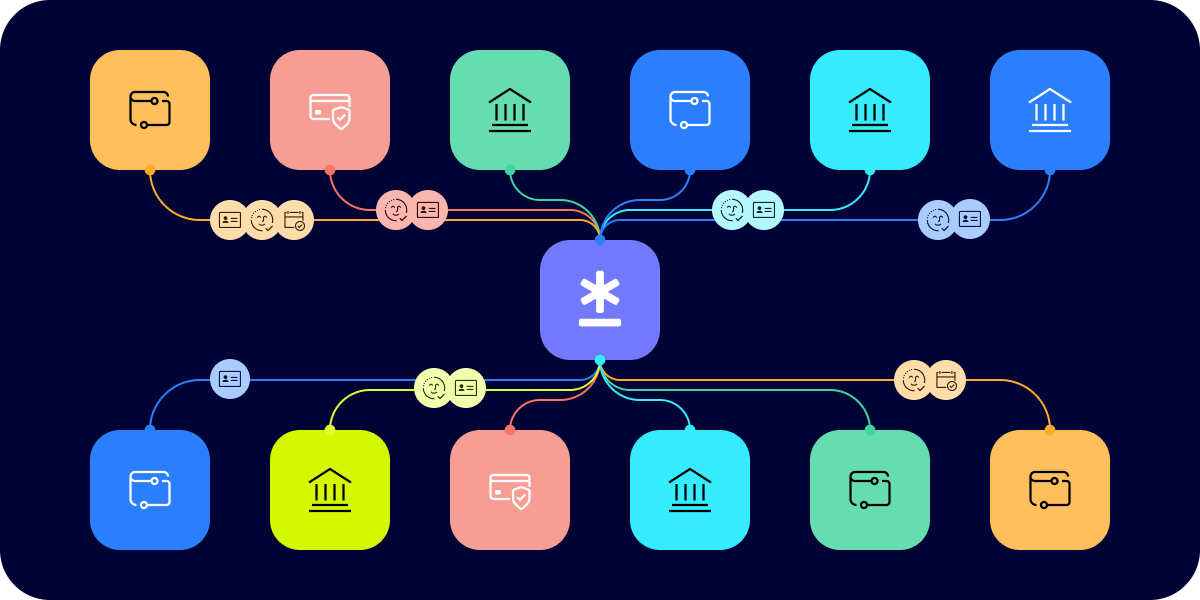
See Graph in action
We built Graph to help fraud fighters stay ahead of sophisticated attacks without adding engineering complexity. Whether you're dealing with promotion abuse, account sharing, deepfakes, identity mules, organized fraud rings, or other forms of scaling fraud, Graph gives you the visibility and speed you need to act quickly.
Want to see how Graph can help your team catch more fraud? Contact us for a demo, or learn more about Graph.